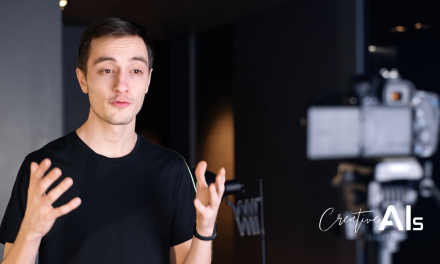
Creating professional videos doesn’t have to mean investing in expensive equipment, learning complex editing software, or hiring a production team. In fact, with tools like HeyGen, the process has been reimagined entirely. This AI-powered video generator eliminates traditional barriers, giving businesses, content creators, and marketers the ability to produce high-quality videos with minimal effort. Whether you’re creating product demos, social media ads, or multilingual spokesperson videos, HeyGen equips you with everything you need to make an impact.
In this guide, we’ll explore the powerful features that set HeyGen apart, from its text-to-video capabilities to its integrations with tools like Canva and ChatGPT. You’ll learn how to create sleek, polished videos, even if you’ve never edited one before. Plus, we’ll cover tips, pricing, and alternative tools, ensuring you have all the information needed to decide if HeyGen is right for your next project.
Disclosure: This post may contain affiliate links, meaning we get a commission if you decide to make a purchase through links on this site, at no cost to you.
What is HeyGen?
HeyGen is an AI video generation platform built to help users create professional-looking videos without any technical video editing knowledge.
HeyGen (Formerly Movio) was founded by Joshua Xu, an early Snapchat engineer who led multiple engineering projects, including AI cameras. The tool was initially designed for creating spokesperson videos but has been updated with interesting features like text-to-video, face swap, multi-scene videos, and more.
The platform currently gives users access to over 100 avatars, 300+ voices, and 40+ popular languages, making it suitable for use in different countries and for a wide range of individuals.
Why Use HeyGen for Video Creation?
Reduced cost for video creation: A lot of resources, time, and energy usually go into video creation. You can channel those resources and energy into something else using a tool like HeyGen. To maximize the video editing potential, you can sign up for the monthly plan, which starts at $24 when billed annually. This cost is still incredibly low compared to the traditional method of producing videos manually.
Creation of high-quality videos without any technical knowledge: You can do it, and I can do it. For the purpose of this video, we were able to create an advertising video for CreativeAIs as a complete beginner in HeyGen and video editing. Video creation couldn’t get easier.
An effective way to save money and time for content creators and marketing agencies: HeyGen is specifically helpful for content creators and marketing agencies as much of video creation and advertising is done there. This is a game changer and would revolutionize the entire video editing process.
Translation to different languages: With just a few clicks, videos can be translated into several languages. This eliminates translation and localization costs.
Recommended reading: Generative AI & Your Business: A Guide for Non-Technical Users
You retain all copyrights: Unlike many AI generation tools that may impose copyright limitations, with HeyGen, you own commercial rights for all your videos – even with the free version.
Powerful integrations make it easy to get a lot done: HeyGen integrates seamlessly with ChatGpt for script generation (in case you are unsure what scripts to use.) It also integrates with Canva, allowing users to create graphics on Canva for use on HeyGen.
How to Use HeyGen for Your Video Creation
Step 1: Open the HeyGen website on your PC for an easy-to-use interface. Click on “Try HeyGen for Free” to get started. You can also use your mobile device or tablet to create a demo video, but please note that this application was designed to be used on a desktop, so the features are limited on mobile devices.

Step 2: Head over to templates in the left sidebar of the screen to get started with selecting over 200 templates in different categories, including advertisement, e-commerce, breaking news, etc.

You can select between landscape and portrait, depending on the purpose of the video and where you intend to use it.
All categories are available in landscape and portrait, so you don’t have to worry about the video aspect ratio not fitting any platform.
Step 3: Click on any template to play the preview video. If you like the previewed video, click on “Use This Template” to begin editing. Whichever template you choose, you can customize it to your taste.
Step 4: Click on Avatar in the sidebar to access many avatars with different dressings, ethnicities, and genders. HeyGen lets you create your avatar with a digital twin on a fixed or different background or generate your talking photo.

Step 5: Type or paste your scripts with one sentence on each line in the text box and arrange them for every scene. You also have the liberty to upload your preferred audio script or record one on the platform using the microphone on your PC.
If unsure of your script, click the ChatGPT icon close to the text bar, insert your prompt, and get your script.
Step 6: Check out the elements in the left sidebar. There are a lot of stickers, images, videos, even music, and more exciting add-ons to create the perfect video. Select the ones that go with your desired vision for the video.
You’ll notice that the interface in the elements section is really similar to Canva, so there should be a minimal learning curve here.

Editing scenes is also very flexible; you can edit transitions, add scenes, duplicate scenes, and delete scenes to create your perfect video.
Step 6: At the top right of the screen, you will see a text bar where you can name your video. Once you are done, you will find a “preview” button. Click on it to preview your video draft.

Step 7: If you are satisfied with your creation, you can go ahead and click “Submit”. In a few minutes, your video will be rendered.
You will be redirected to the video page, where you will find personal items and your newly created video. You will also receive an email when the video is ready with a link to access it.
Recommended reading: 10 AI Image Prompt Modifiers to Improve Your Pics
How to Use HeyGen for Creating Amazon Product Videos
Heygen is a particularly helpful tool for creating product videos. If you have an Amazon store and need videos to showcase your product, HeyGen comes to your aid.
Step 1: On the HeyGen homepage, click the “Labs” button towards the bottom of the sidebar.

It will open a page with the four current creative abilities of HeyGen. Click on “URL to Video.”
Step 2: Copy the URL link of the product from Amazon and insert it.

Step 3: Click on “Generate” after you add the right URL.
Step 4: HeyGen will take about a minute to generate different options and aesthetics for the final video, consisting of landscape, portrait, different ethnicities, and genders.
If you like a particular output, click “save as draft” or “Go to Editor” to tweak it to your taste. In the editor, you can change the avatar, color, graphics, and text. You can also add elements of your choice, including music.

How to Use HeyGen for Text-to-Image Generation
Step 1: Head to the Labs page and select the “Text to Image” option.

Step 2: Input the description of the image you desire, then click “Generate:” In 15-30 seconds, your image will be ready.
How to Use HeyGen for Face Swapping and the Creation of an AI Spokesperson Video
Step 1: Head over to the avatars page and select the avatar of your choice.

Step 2: Once you select your avatar, a short preview of the avatar will play, revealing the avatar’s voice. You will find two options here to either “Edit Avatar” or “Create Video”.

If you select “Edit Avatar”, you will be taken to an editing screen where you can swap the face of the avatar and change “View Mode”, outfit, voice, speed, and pitch.

If you select “Create Video”, you will be taken to an editing screen where you can customize your video.
Powerful Features of HeyGen
HeyGen offers quick and easy Text-To-Video Creation. Videos can also be shared or rendered with a few clicks. Multi-scene videos are possible in HeyGen video generation AI, and you can also add royalty-free music directly from the interface. Here are several other HeyGen benefits:
- Video outputs can be generated in over 40+ languages.
- The face-swapping feature allows for a lot of creative freedom. Custom avatars are available, with the liberty to create or upload a personal option.
- You can download videos in 1080p and retain full ownership of the created videos.
- You can invite team members to collaborate with you in the workspace.
- Users can record voiceovers directly from the interface with their PC microphone or upload preexisting audio files.
- HeyGen comes with powerful ChatGPT and Canva integrations to help you write scripts and generate graphics for your videos — all in one place.
- Branding kits can be uploaded to maintain brand identity and image.
- HeyGen AI can automatically videos for Amazon products from a URL. You can edit the output as well.
- Users can connect with other users online to learn more about HeyGen’s features, applications, and more. Mini-lessons are available on their website to help beginners find their way, and tons of guides are available on their YouTube channel.
HeyGen Drawbacks:
- Constant HeyGen updates disrupt the learning curves of users. It can be a struggle to adapt to their significant changes, which can disrupt their workflow.
- Avatar animations are only available after submission, preventing you from seeing the full performance of your avatar before spending credits on the final piece.
- Most of the characters look professional. Those of you looking for a more casual vibe will struggle to find avatars that are dressed casually.
Tips and Tricks for Getting the Most Out of HeyGen Video AI Generator
- Utilize AI image Generators: The avatars available on HeyGen are public and would have many people using them. For something distinctive, try uploading your own avatar, downloaded from Midjourney or StarryAI (the better option since users fully own the output.
- Get familiar with Canva; the editing interface is very similar. You can edit the graphics on HeyGen, move icons, and change font sizes and colors. It becomes easier if you are familiar with Canva.
- Brandkits: For consistency in brand image, you can upload assets on HeyGen like media files, logos, colors, fonts, etc.
Recommended reading: 7 AI Art Generators for Creating Marketing Content
HeyGen Pricing Plan
Here is an overview of HeyGen’s pricing plan, current at time of publication. Visit their pricing page for more details and plan comparisons.

HeyGen Alternatives: Exploring Other AI Video Generators
While HeyGen is a powerful tool for creating professional videos with ease, it’s worth exploring other AI-driven platforms to find the one that best suits your specific needs. Here’s a look at some notable HeyGen alternatives:
1. Synthesia
Synthesia is a leading AI video generator known for its hyper-realistic avatars and multilingual voiceovers. If you’re creating training videos, corporate presentations, or personalized content, this platform is worth exploring. With over 120 languages and accents and the ability to customize avatars, Synthesia stands out for its versatility.
Curious about how it works? Check out our in-depth review of Synthesia AI Video Generator.
2. Pictory
For content creators who want to turn blog posts or long-form text into engaging videos, Pictory is a game-changer. This platform’s text-to-video capabilities and extensive library of visuals make it ideal for repurposing written content into video formats for platforms like YouTube or social media.
Learn more in our comprehensive Pictory AI Video Generator Guide.
3. DeepBrain AI
DeepBrain AI offers a cutting-edge approach to spokesperson videos, featuring ultra-realistic avatars and text-to-speech capabilities in over 80 languages. It’s perfect for creating educational or explainer videos with a highly professional feel.
4. Creatify.ai
Creatify.ai is an innovative AI-powered platform designed for creating professional video ads effortlessly. It allows users to transform product links or descriptions into polished videos, complete with lifelike avatars, voiceovers, and custom templates. This platform is particularly valuable for businesses looking to scale their digital marketing without heavy investments in traditional production. Check it out: Creatify.ai: Revolutionizing Video Ad Creation with AI.
Conclusion: Unleash Your Video Marketing Potential with HeyGen
HeyGen is redefining how videos are created, offering an intuitive platform that eliminates the typical barriers of cost, time, and technical skill. Whether you’re a small business owner, a content creator, or part of a marketing team, HeyGen’s innovative features make it easy to produce professional-quality videos that captivate your audience and elevate your brand.
From product demos and multilingual ads to spokesperson videos and creative Amazon showcases, HeyGen equips you with everything you need to bring your ideas to life. And with its seamless integrations, powerful customization options, and flexible pricing plans, it’s a tool that grows with you and your goals.
Ready to see what HeyGen can do for your video marketing? Give HeyGen a try today and take the first step towards creating videos that truly stand out.
More helpful creative AI resources: